The TruNaut app icon: an open book with an infinity mark drawn across its pages TruNaut The Yellow Flower Company
Coming to iOS and Android

A highlight shouldn't end the interaction. It should start one.

TruNaut reads EPUB, PDF, and web pages, and is built around a single idea: highlight a passage, ask it a question, and talk it through with a tutor that knows the book, the chapter, and you.

No spam. One email, when TruNaut is ready to download.

Coming soonApp Store Coming soonGoogle Play
The Beginning of Infinity — David Deutsch

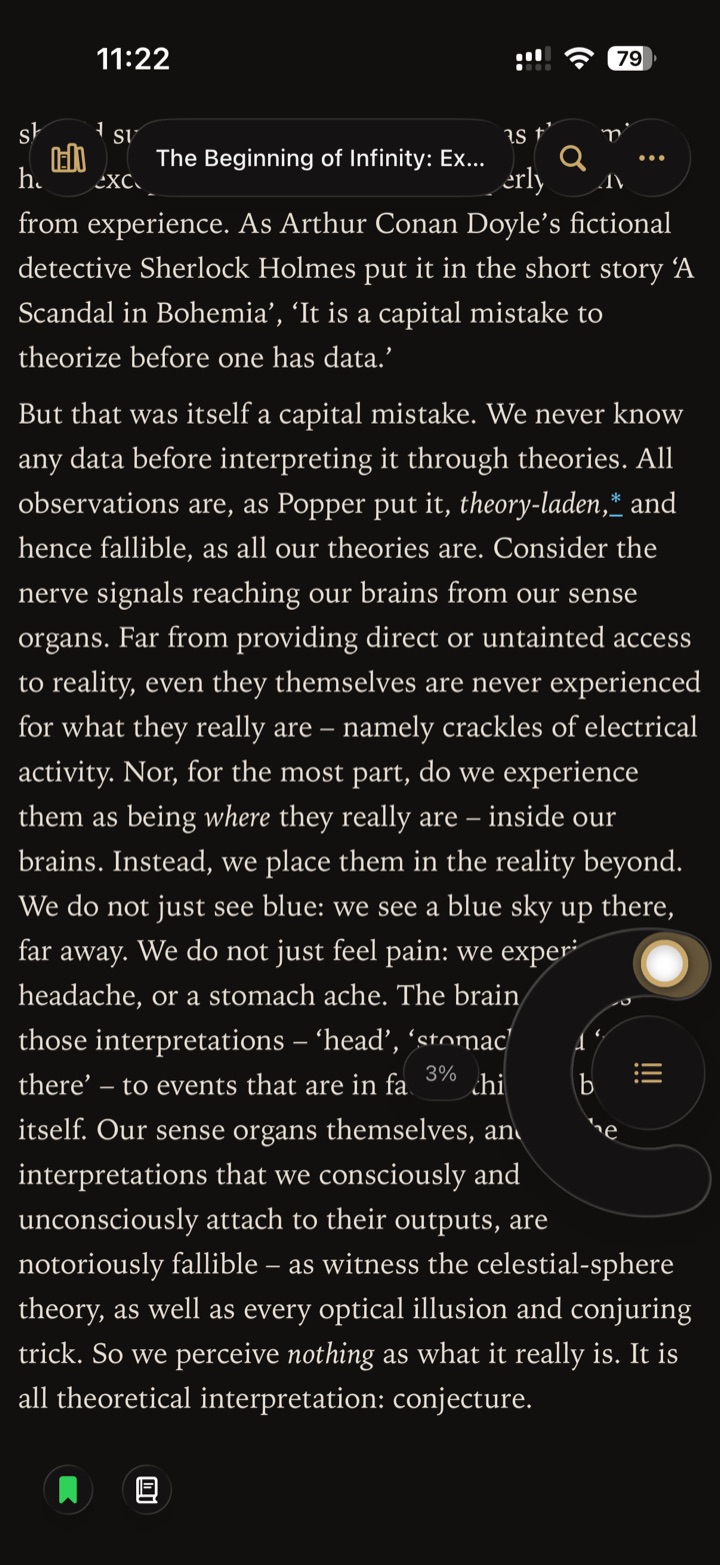
But that was itself a capital mistake. We never know any data before interpreting it through theories. All observations are, as Popper put it, theory-laden, and hence fallible, as all our theories are. Consider the nerve signals reaching our brains from our sense organs.

↑ tap the highlighted sentence

What does Popper mean by this?
Popper means our interpretation of any observation is already shaped by the theories we hold before we look — there's no view from nowhere. Why do you think that challenges the idea that science starts from neutral, objective data?
“Reading a difficult book should feel worse outside this app than inside it.”
The product philosophy, in one line
How it works

Four moves, one highlight.

Everything in TruNaut turns on a single highlight — the anchor for a note, a conversation, and eventually something you keep. The plates in the margin are the app itself; follow any figure reference to bring one up.

I

Read anything, in one reader

Import EPUB and PDF files, add a web page by URL, or share a page to TruNaut straight from your browser. Everything lands in one library and normalizes to a single reading surface — floating chrome, table of contents, full-text search, bookmarks, and light, dark, or system themes.
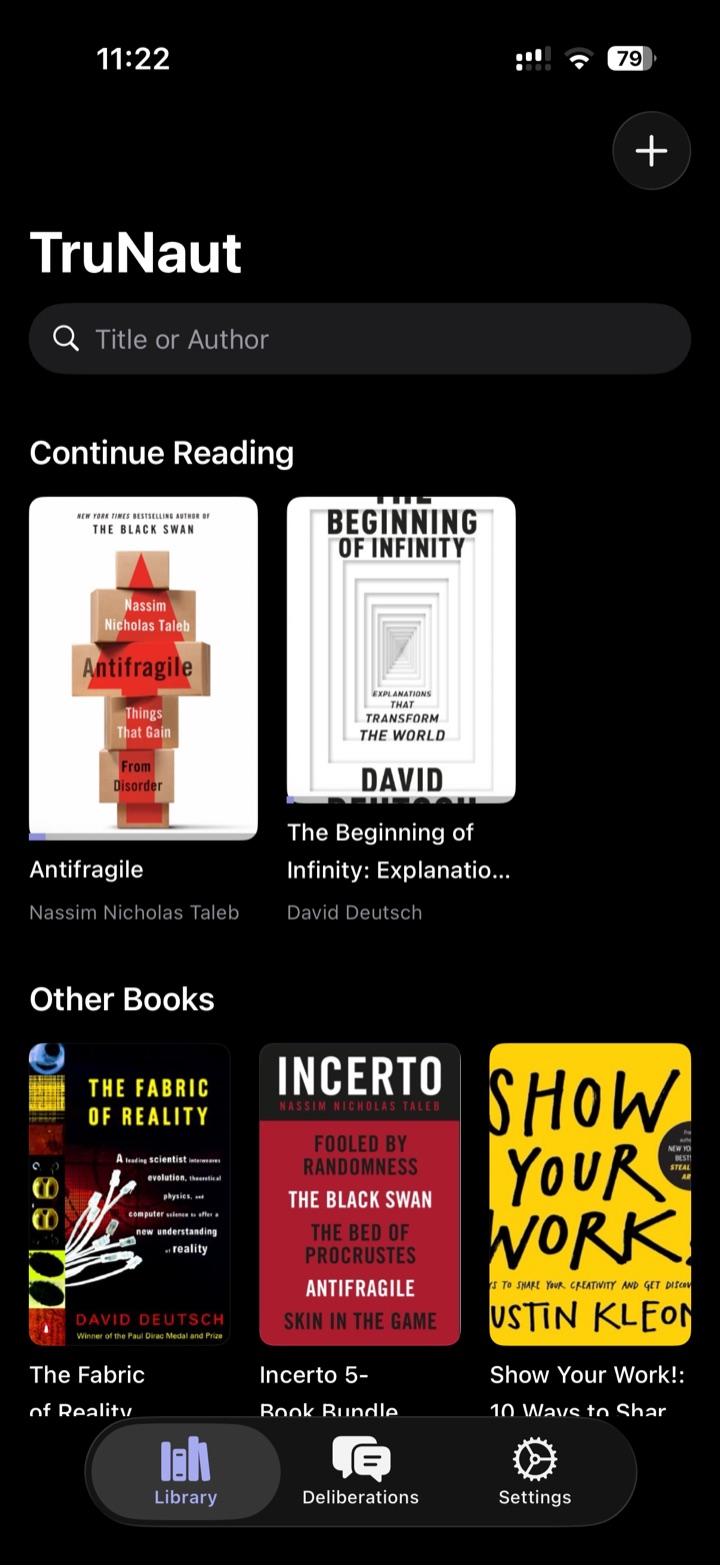
TruNaut library showing book covers, continue reading, and search
Fig. 1 The library
Reading The Beginning of Infinity with floating chrome and bookmark controls
Fig. 2 The reading surface
II

Highlight, note, and tag — offline

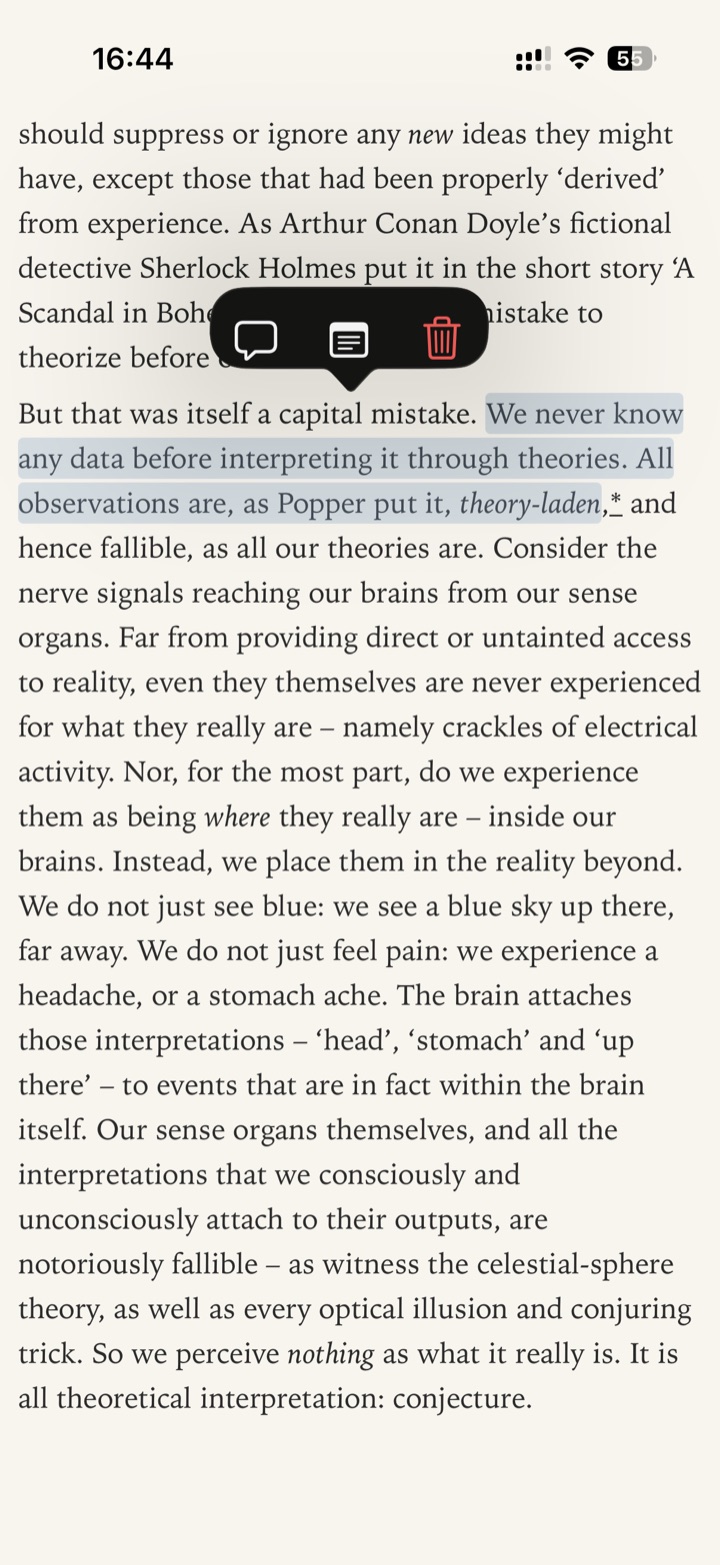
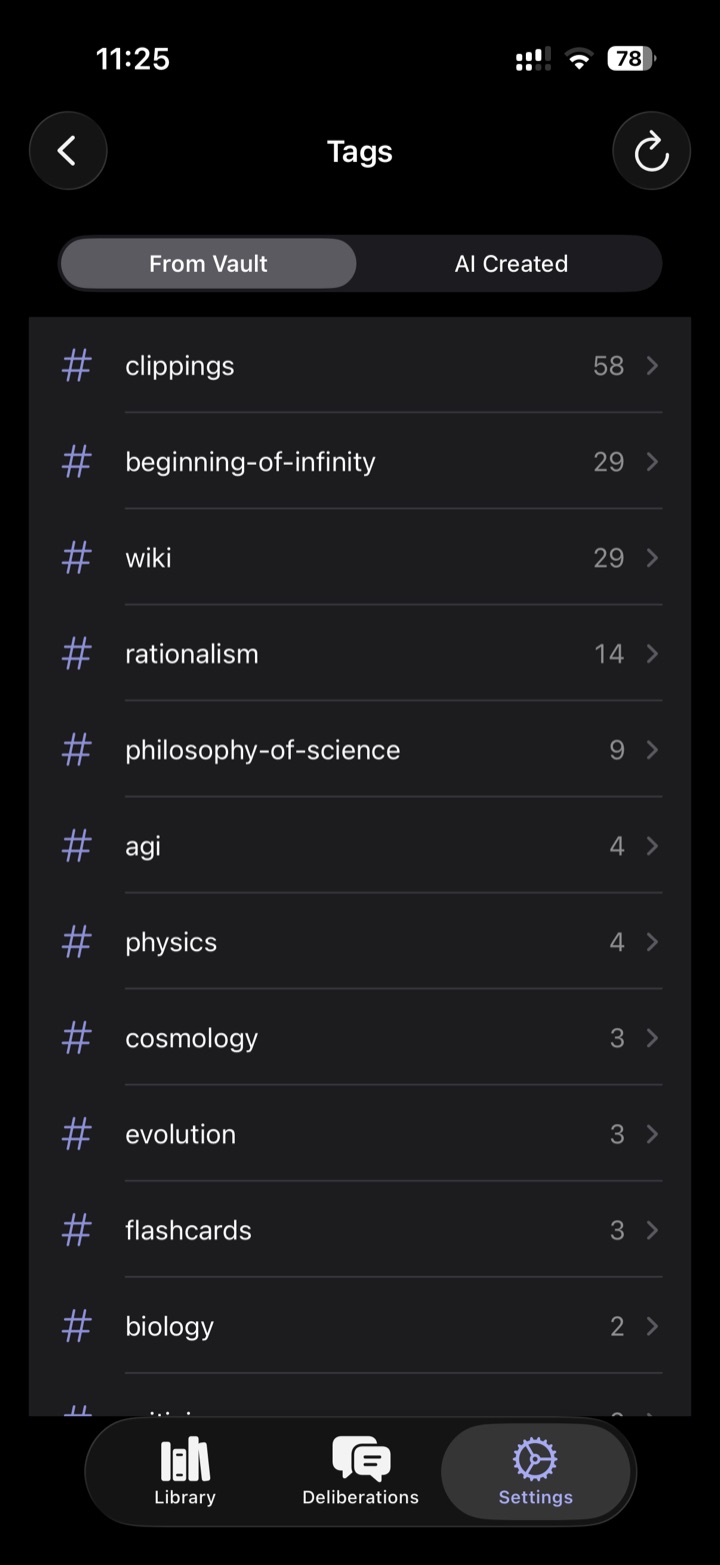
Select a passage and highlight it in any colour . Attach a freeform note, or tag it against your own vault vocabulary . Tags are matched on device, with no AI call, so capturing a passage never costs you a request.

A selected passage with highlight, note, and discuss controls
Fig. 3 Selecting a passage
Tag list from the vault with counts beside each tag
Fig. 4 Your vault vocabulary
III

Talk to the passage

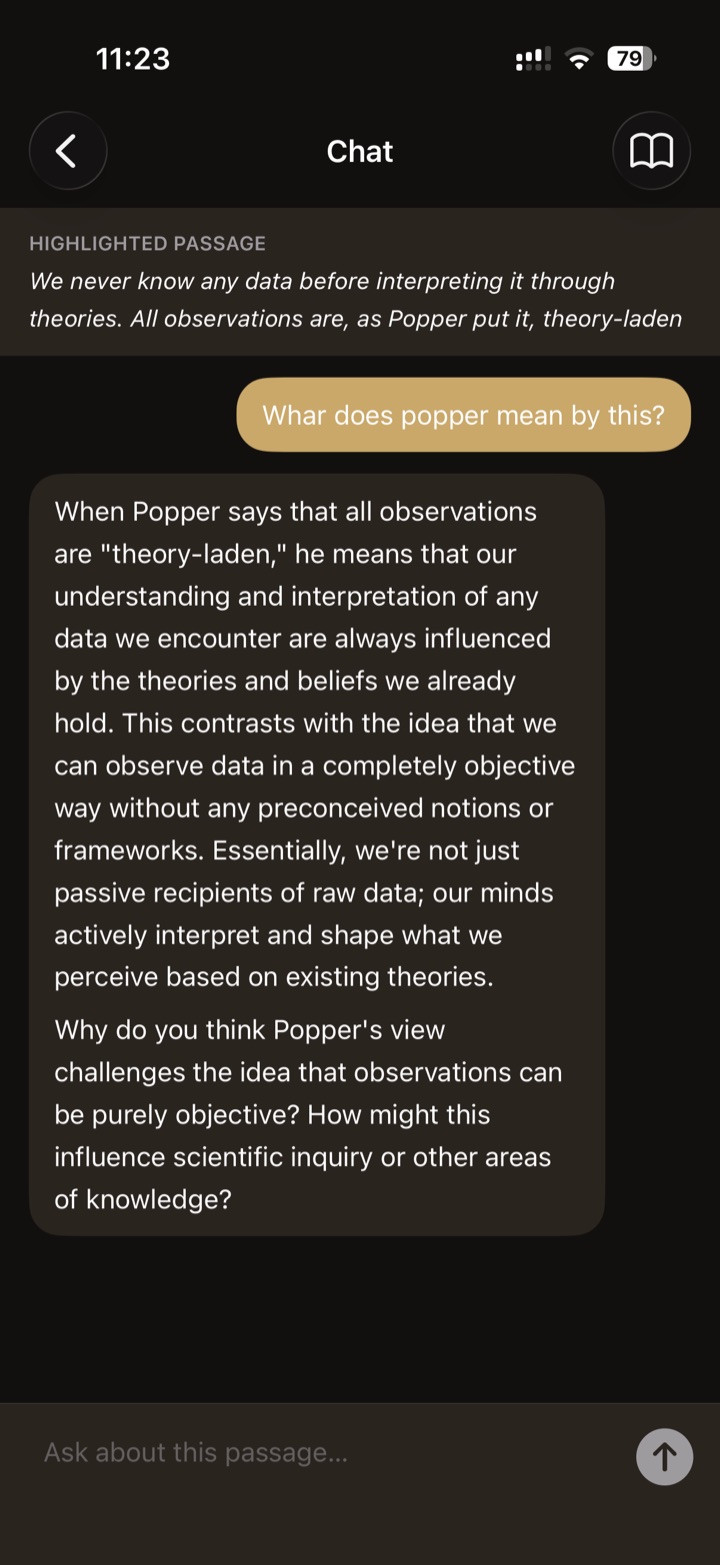
Tap a highlight and it opens into a full-screen conversation . The tutor sees the highlighted text, the surrounding context, the chapter title, and a reader profile that carries your interests and level from book to book. Bring your own key — OpenAI, Anthropic, Google, or a model running on your own machine.

Full-screen chat attached to a highlighted passage about Karl Popper
Fig. 5 The conversation
IV

Keep what you learned

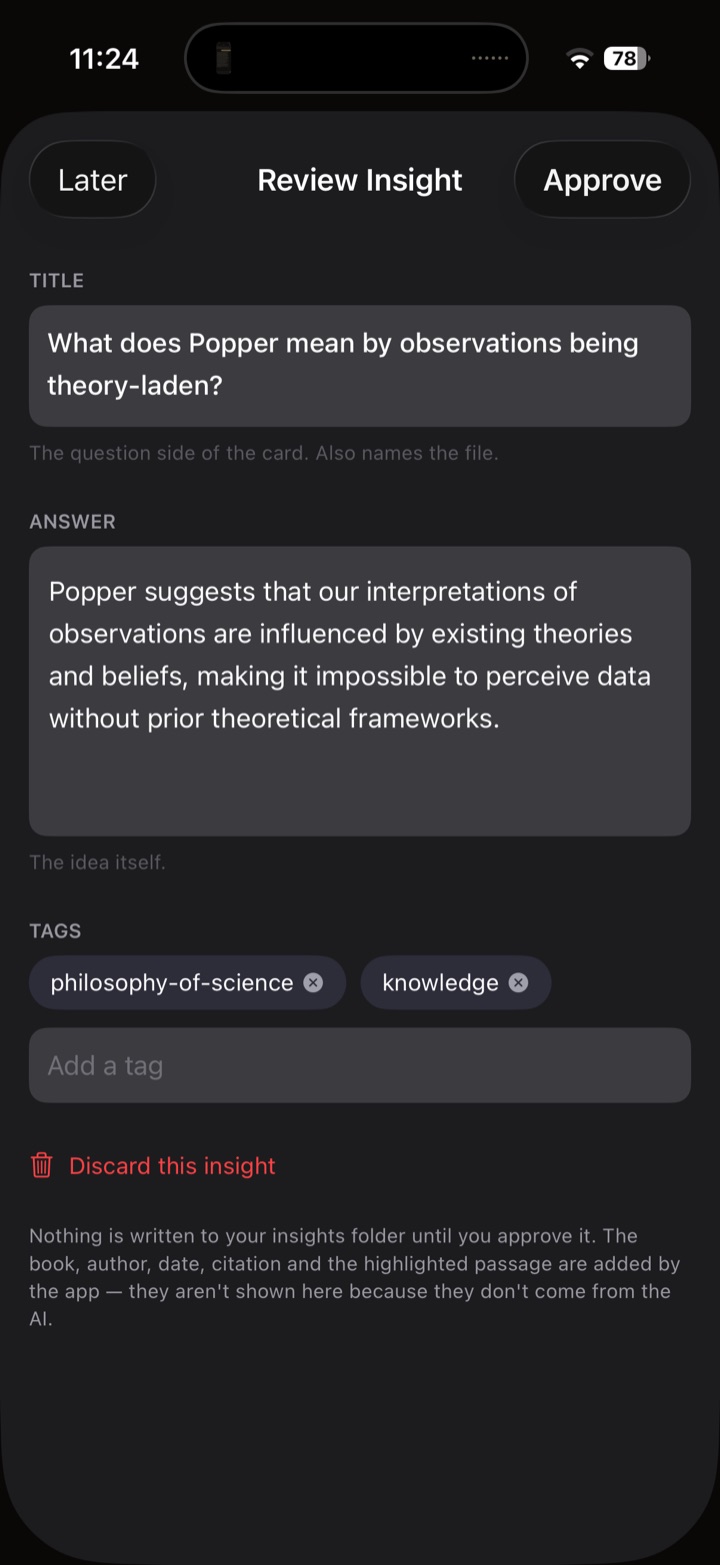
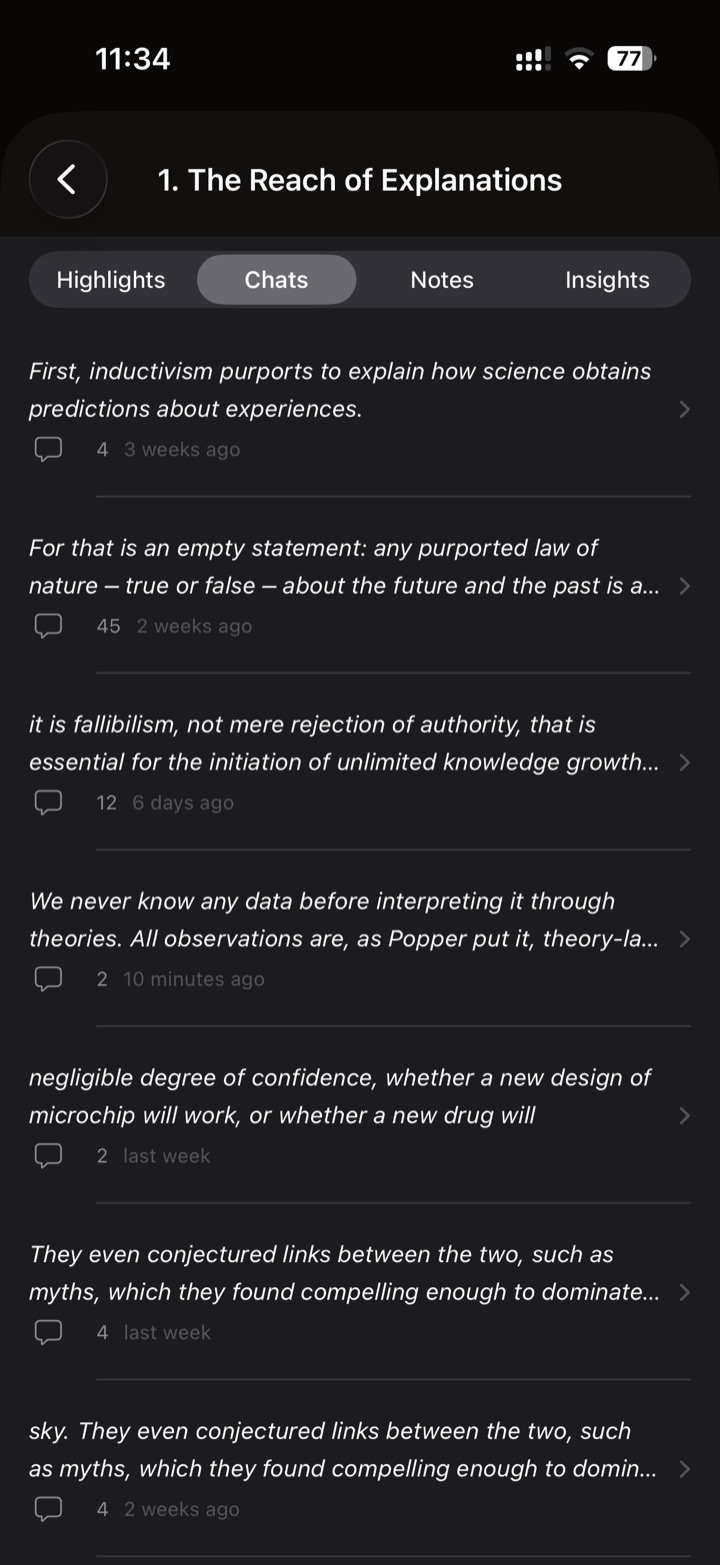
Generate atomic notes or flashcards from a highlight and its conversation. Nothing reaches your vault unapproved — every insight waits in a review sheet first . Approved notes sync as Markdown to iCloud, ready to drop into Obsidian, and every conversation stays filed by chapter under Deliberations .

Reviewing a generated insight with title, answer, and tags before approving
Fig. 6 Review before it's kept
Every conversation listed under its chapter in the Deliberations tab
Fig. 7 Deliberations, by chapter
Local-first

Your books never leave your device.

Books, highlights, notes, and conversations live in local SQLite databases. TruNaut has no backend and no account system — the only network traffic is the request you send your own AI provider.

Read the privacy policy →
Get notified

Be the first to read this way.

One email when TruNaut lands, nothing else.

Coming soonApp Store Coming soonGoogle Play